Technology Department
Mission Statement
The mission of the Bay Village Schools Technology Department is to:
Provide students and staff with the daily integration of effective and reliable technology tools, quality services & support, AND
To advance teaching and learning, enhance productivity and safeguard information to serve the best interest of students while being fiscally responsible.
Click here for detailed PowerSchool instructions and information.
PowerSchool Troubleshooting -- Please call your building's main office:
Bay High School - 440-617-7400
Bay Middle School - 440-617-7600
Westerly Elementary - 440-617-7550
Normandy Elementary - 440-617-7350

🚀 This year, Bay Village City Schools is using ParentSquare for all district, school, and classroom communications! If you’ve used Remind before, ParentSquare will feel very familiar—it handles all of our direct messaging, class updates, and newsletters in one easy, centralized place.
📱 1. Download the App
While you can access ParentSquare on a web browser, downloading the app is the best way to stay in the loop:
Parents: Download the free ParentSquare app from the Apple App Store or Google Play Store.
Students (Grades 5–12): Download the StudentSquare app from the Apple App Store or Google Play Store.
🔑 2. Log In to Your Account
Parents: Log in using the same email address currently registered in PowerSchool. ParentSquare automatically links your account to your student(s) with no extra setup required.
Students: Select "Sign in with Google" and log in using your district Google account.
⚙️ 3. Set Your Notification Preferences
You have complete control over how and when you receive non-urgent messages:
Instant: Receive alerts, posts, and announcements as soon as they are published.
Daily Digest (Default): Receive a single summary email or push notification every evening at 6:00 PM with all of that day's news.
To change your notification settings, open the app, tap Account (or the menu icon), and select Notifications.
Click here for a link to our basic Troubleshooting document.
Need Support?
Scan the QR Code below to contact the Help Desk or click on the button below:
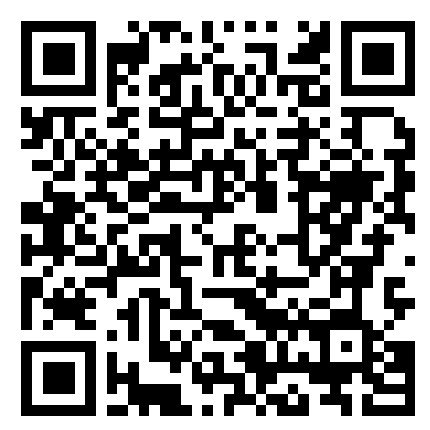
(scan me)
Contact Us
Director of Technology:
Brian Reynolds
Admin Assistant:
Diana Harrod
EdTech Specialist
Stephanie Kabert - Normandy & BMS
IT Specialist
Rich Toth - Westerly & BHS
District Library/Media Specialist
Melissa Wolf
Tech for Students
Approved BVCSD Online Web Resources
These resources follow Board of Education requirements for FERPA-compliant privacy policy, and it complies with all requirements of Ohio Revised Code, the Children’s Online Privacy Protection Act (COPPA) and the Children’s Internet Protection Act (CIPA). These apps have been vetted through a district process, which can be found via this link.
One2One Chromebook Program
All Bay Village Schools students are assigned a Chromebook to be used as part of the BVCSD curriculum. By giving our students access to modern technology, we hope to empower them to be better communicators, contributors, and citizens. Parents and students must sign the Chromebook Agreement in PowerSchool before a device can be issued. Bay students use a Chromebook regularly as part of their teaching and learning, just like traditional school supplies. Students are expected to practice good "Chromebook care" at all times and to bring a fully charged device to school each day.

Every K-4 classroom is equipped with an interactive flat panel, known as a Clevertouch. The boards allow for students to engage with instructional materials in large group formats.
Students are issued Chromebooks in Kindergarten and keep their devices through 4th grade. Kindergarten students are issued a protective sleeve with their device and charger.
Normandy and Westerly both place an emphasis on digital and traditional instructional strategies. We believe in "making screen time count" for our younger students in particular.
Every 5-8 classroom contains a classroom projector, TV or Clevertouch board for displaying instructional activities for large or small group activities.
Incoming 5th grade students receive new Chromebooks that they keep through 8th grade. With the exceptions of Art, Phys. Ed. and Music, students are expected to bring a charged device daily, which they use in their Core and World Language classes.
Tech-related offerings at Bay Middle School include: Chromebook repair, makerspace, digital applications, and robotics classes.
Every 9-12 classroom contains a classroom projector, TV or Clevertouch board for displaying instructional activities for large or small group activities.
Incoming 9th grade students receive new Chromebooks, which they keep until graduation. Students are expected to bring a charged device daily, which is used for all classes, with the exception of a handful of electives.
Tech-related offerings at Bay High School include: CAD, computer science, computer applications, digital photography, and video production classes.
Click here to watch a short video about our managed Chromebooks.
District-owned devices are managed by the district Technology team, with apps, filtering, and other settings aligned to district policies. Many Chromebook issues can be solved remotely on a managed device.
Loaner Chromebooks will be available while broken devices are out for repair.
Students are allowed/encouraged to bring their charger daily.
Replacement Chromebooks are reserved for broken devices.
Effective June 1, 2023: families are financially responsible for repairs due to incidental damages and loss.
Parent/Guardian Portal for Student Web History
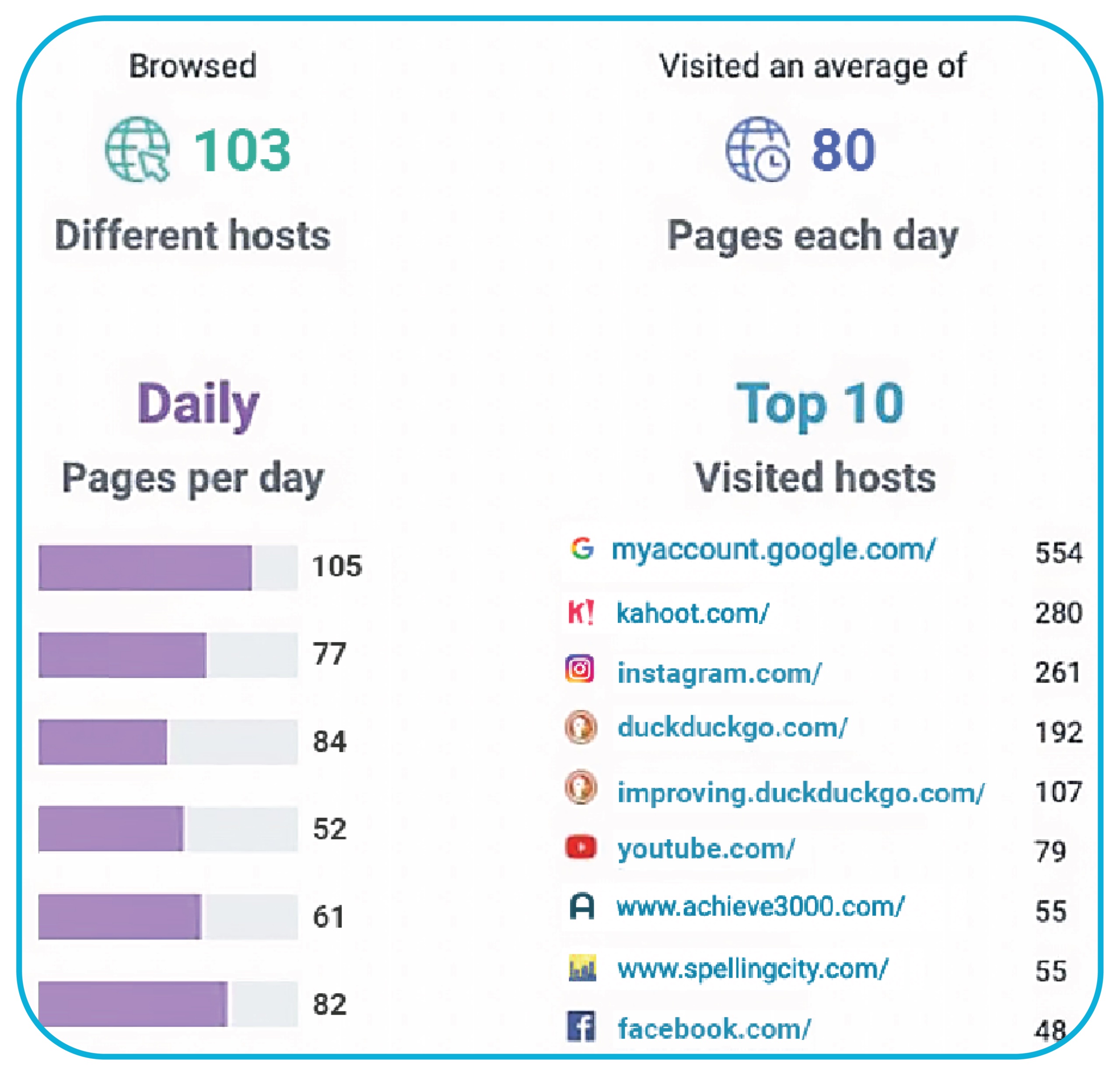
Lightspeed Parent Portal™ enables parents and guardians to support their student's internet-based learning by monitoring their student's web browsing activity and limit at-home access. Parents and guardians receive weekly emailed reports on Sundays about their students' web history. By default, the first two guardians listed in PowerSchool have been enrolled into this service.
Below is an example of the weekly email report:
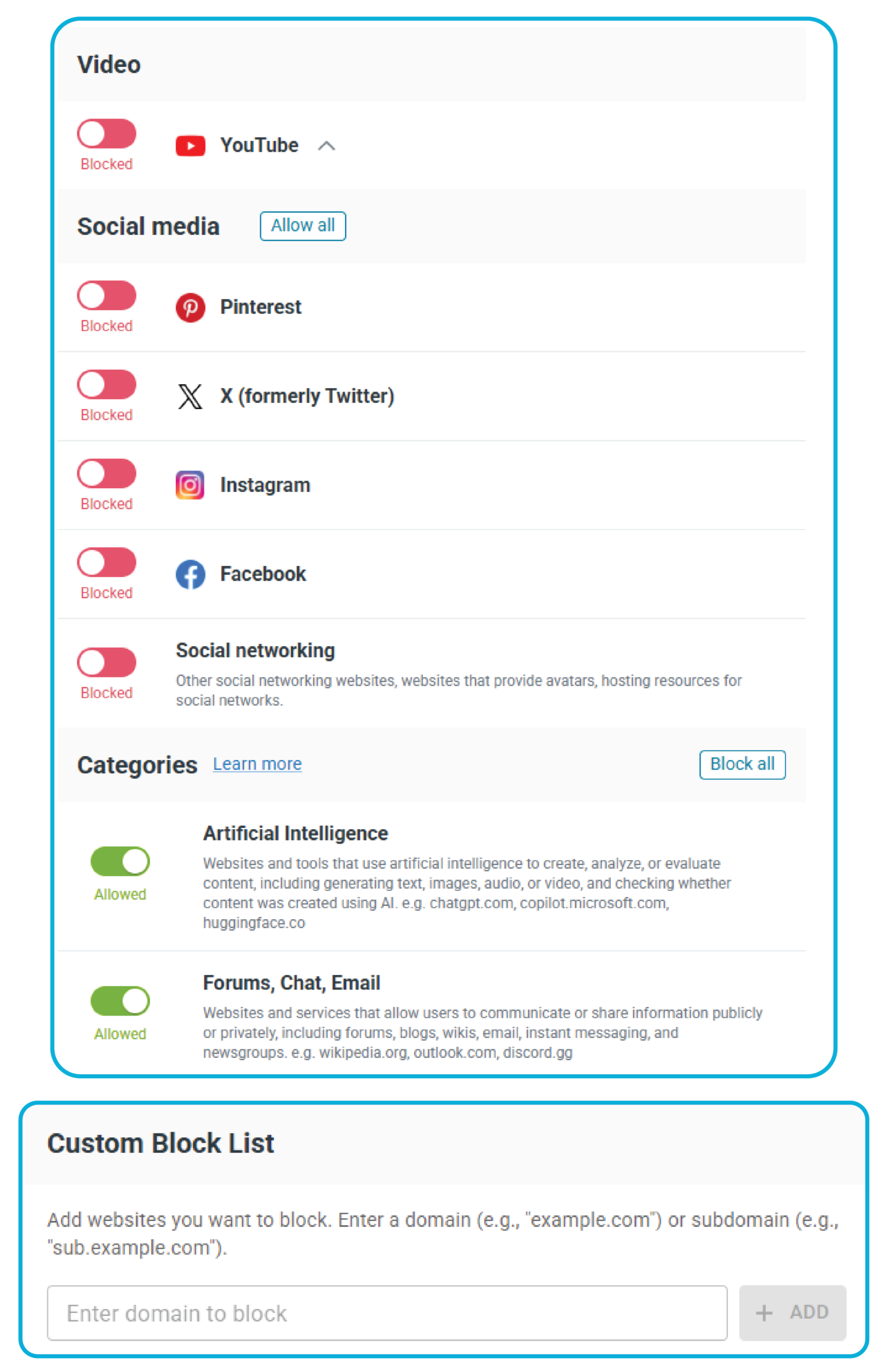
Parents can also restrict websites and categories during approved after-school periods if signed into the Parent Portal (link below):
CLICK HERE to sign in to your Lightspeed Parent Portal™ account (using the email on file in PowerSchool).
CLICK HERE if you would like to unenroll from this service.
If you are not receiving Lightspeed Parent Portal™ weekly reports, CLICK HERE to submit a Help Ticket.
IMPORTANT NOTES:
Normandy devices stay at school, so their reports will be limited to at-school use only.
The District does its best to place limits, restrictions and alerts on the computer to monitor students when they are online and using District equipment. However, no web filter is perfect. If students are accessing sites off-task or if they are attempting to access sites that are on the Blocked list, teachers and administration act swiftly to address any student infractions.
If you feel your child is accessing content that you believe should be filtered, please submit a Help Ticket and include the URL (website) of the page in question.
Careers in Technology
More career videos and resources can be found at www.escneoworks.org